Visitors report: live, sources, behavior, audience
Open Analytics › Visitors on the web, or Control Center › Visitors in the Admin app. Tabs show Overview, Live, Sources, Behavior, Audience and Conversion for your website, your app or both.
Aktualisiert am 20. November 2026Wo Sie es finden
- Analytics
- Visitors
- Control Center
- Visitors
Sie brauchen: Owner, or staff with Visitors access. Live and visitor alerts also need access to all branches.
Visitor tracking is built in and starts on its own. Before your first visit you see Visitor tracking is on. Numbers appear here within an hour of your first visitor.
At the top, choose a period and Website and app, Website or Mobile App.
The tabs
| Tab | What it shows |
|---|---|
| Overview | Visitors, Sessions, Page views, Conversion rate, Returning visitors, Bounce rate, Time per visit, Pages per visit, Sessions by day and Busiest hours. |
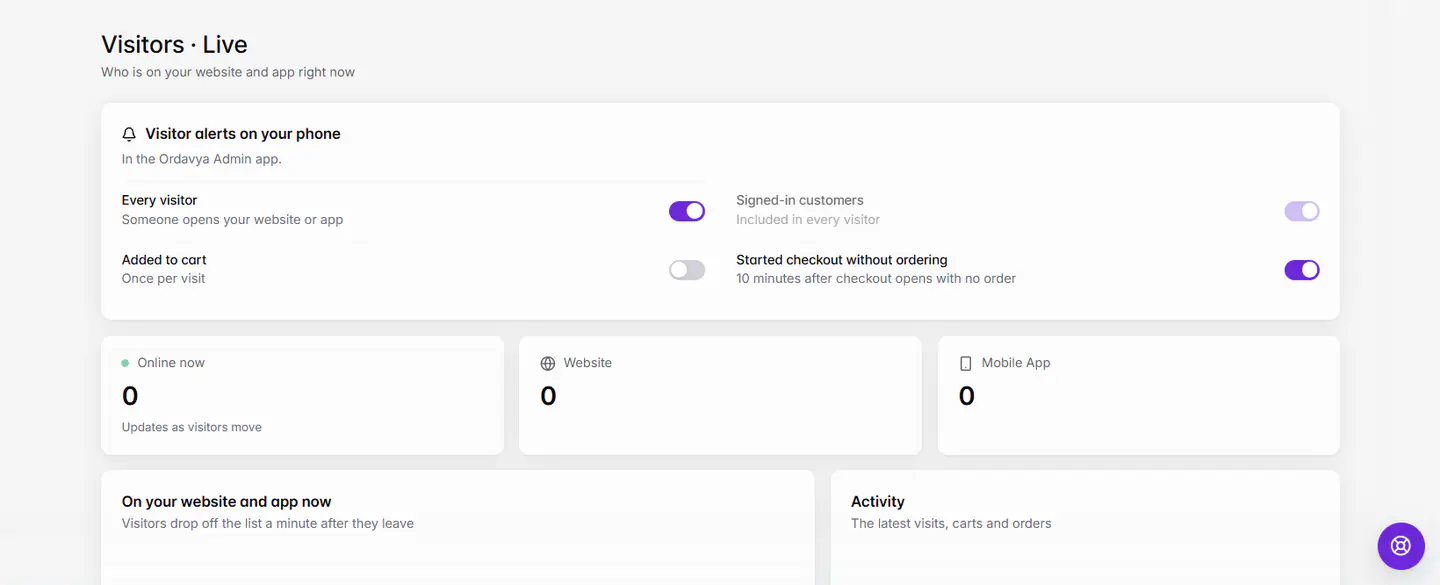
| Live | Who is on your website and app right now, and an Activity feed of pages opened, products viewed, carts, checkouts and orders. |
| Sources | Top traffic sources (search engines, social media, WhatsApp, QR codes, direct, other websites, campaigns, email, notifications), Sites and apps, and Campaigns. |
| Behavior | Most visited pages, Landing pages, Products viewed vs added to cart, and Searches on your menu, including searches that found nothing. |
| Audience | Device (phone, tablet, computer), New vs returning visitors, Languages, country, city, Operating systems and Browsers. |
| Conversion | How many visits reached each step from visit to order. See Conversion: from visit to order. |
Track campaigns and QR codes
Add a campaign name to your links with `utm_campaign`, for example `www.yourstore.com/?utm_campaign=summer`. Visits from that link show under Campaigns, QR codes included. Under Browsers, Instagram, Facebook and TikTok mean their in-app browsers.
Visitor alerts on your phone
On the Live tab, turn on Visitor alerts on your phone. Alerts arrive in the Ordavya Admin app. Choose any of:
- Every visitor: someone opens your website or app.
- Signed-in customers: only when a customer you know visits.
- Added to cart: once per visit.
- Started checkout without ordering: 10 minutes after checkout opens with no order.
Staff limited to some branches can open Visitors, but not Live or the alerts.
Wenn etwas nicht klappt
Meldungen, die Sie sehen könnten, und was zu tun ist.
Couldn't load visitors. Check your connection.
Check your internet connection and reload.
Visitor tracking is on. Numbers appear here within an hour of your first visitor.
Nothing is wrong. Share your website link and check back soon.
Nobody is visiting right now
The Live tab only shows people on your store now. Visitors drop off the list a minute after they leave.
Häufige Fragen
Do I need Google Analytics?
No. Visitors is built into Ordavya. For Google search clicks, see Google Search Console.
Why do Visitors and Sales show different numbers?
Visitors counts visits; Sales counts orders. A visitor can come several times before ordering.