My changes don't show on the website or app
Design changes show only after you Publish and the design is the live one: if it says Live · unpublished changes, publish again; if it's a draft, Set as live. Also check that products aren't drafts, are sold at that branch, and that the language is published.
Aktualisiert am 20. November 2026Wo Sie es finden
- Storefront
- Ordavya Studio
- Ordavya Studio
Sie brauchen: Website designer or Mobile app designer access for design changes.
Design changes
The editor saves a draft as you work. Customers only see the live design, and only its published version.
| Label on the designs list | What to do |
|---|---|
| Live · unpublished changes | Open the design and click Publish. |
| Draft | Publish it, then click Set as live on the designs list. |
| Scheduled | It goes live at the scheduled time. Publish the design again before the start to include later edits. |
| Didn't go live | The scheduled switch failed, for example because the design uses features your plan doesn't include. |
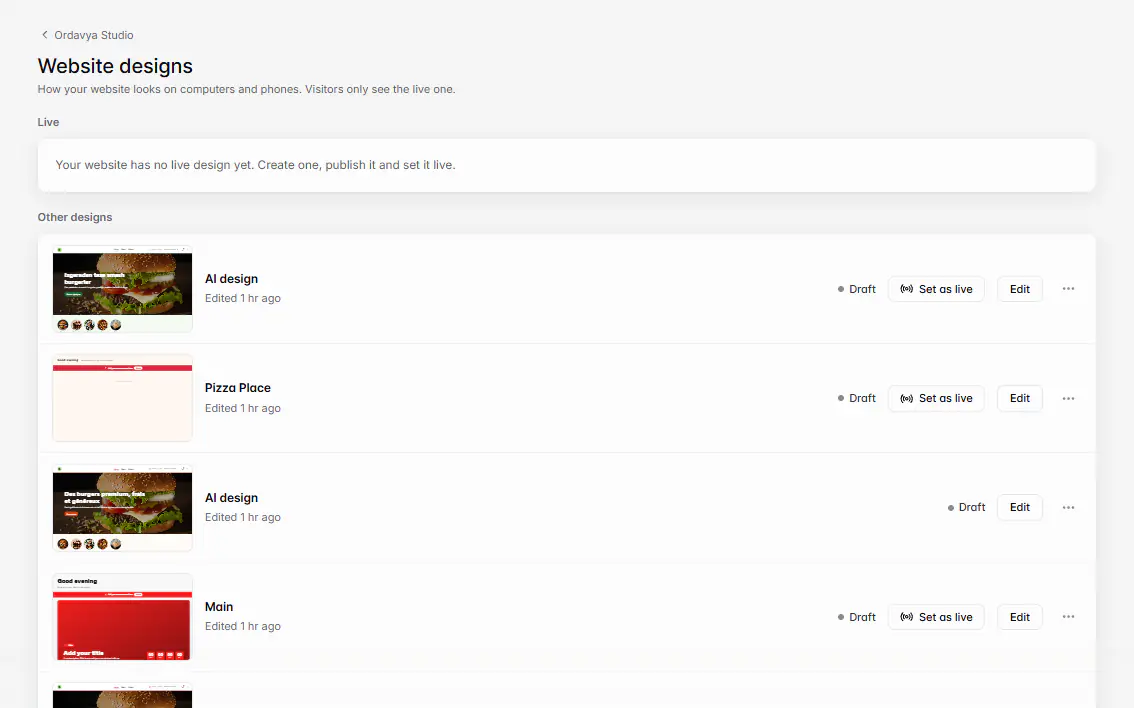
Website visitors see a newly live design right away. The customer app shows it the next time it's opened or brought back to the screen. See Designs, versions and setting a design as live.
Menu and products
- A product saved with Save draft stays hidden. Use Save and publish.
- Products only show at branches where they're sold (Available in). A customer with another branch selected won't see them.
- Out-of-stock items show as Out of stock.
- Customers on the same page may need to refresh it.
Languages
A language added in Translations is hidden until you Publish it. Texts in other languages are edited separately: changing the English description doesn't change the Arabic one. See Translate your menu, pages and policies.
Logo, favicon and settings
- A new logo or favicon isn't used until you click Save business info.
- Policies are live as soon as you save them.
- The app name and icon in the stores need a new app release. See Change your app's name, icon or splash.
- Google shows your new titles and descriptions only after it visits your site again, which can take days.
Wenn etwas nicht klappt
Meldungen, die Sie sehen könnten, und was zu tun ist.
Someone else saved this design. Reload to see their changes.
Reload, then make your edit again so you don't overwrite theirs.
Couldn’t save. Trying again…
Your connection dropped. Keep the editor open until it saves.
Your plan doesn't include some features in this design. Upgrade or remove them.
Remove the features named, or upgrade your plan, then publish again.
This design is too large to publish. Remove some blocks or images.
Remove blocks or split content onto another page.
Publish the design before scheduling it.
Click Publish first, then schedule it.