
01
Enable the feature
The restaurant owner can turn loyalty points on or off according to the restaurant’s policy.
● Restaurant Loyalty Points
Turn loyalty points on or off in your restaurant settings and define their redemption value. Customers receive points after a completed order, then review their balance and redeem available points from the cart.
● How it works
The restaurant controls availability and point value, while customers can see what they will earn and what they can redeem during checkout.
01
The restaurant owner can turn loyalty points on or off according to the restaurant’s policy.
02
Points are added to the customer’s account after the order reaches completed status.
03
Customers use their available balance in the cart according to the redemption value set by the restaurant.
● Restaurant owner controls
Configure the program around your margins and reward policy instead of relying on a fixed value chosen for every restaurant.
Control whether loyalty points are available to customers at any time.
Points enter the customer’s balance only after the order is completed.
Choose how many points equal a monetary value when applied to an order.
Points remain linked to the customer account for review and redemption.
ORDAVYA
Illustrative settings preview
● Customer experience
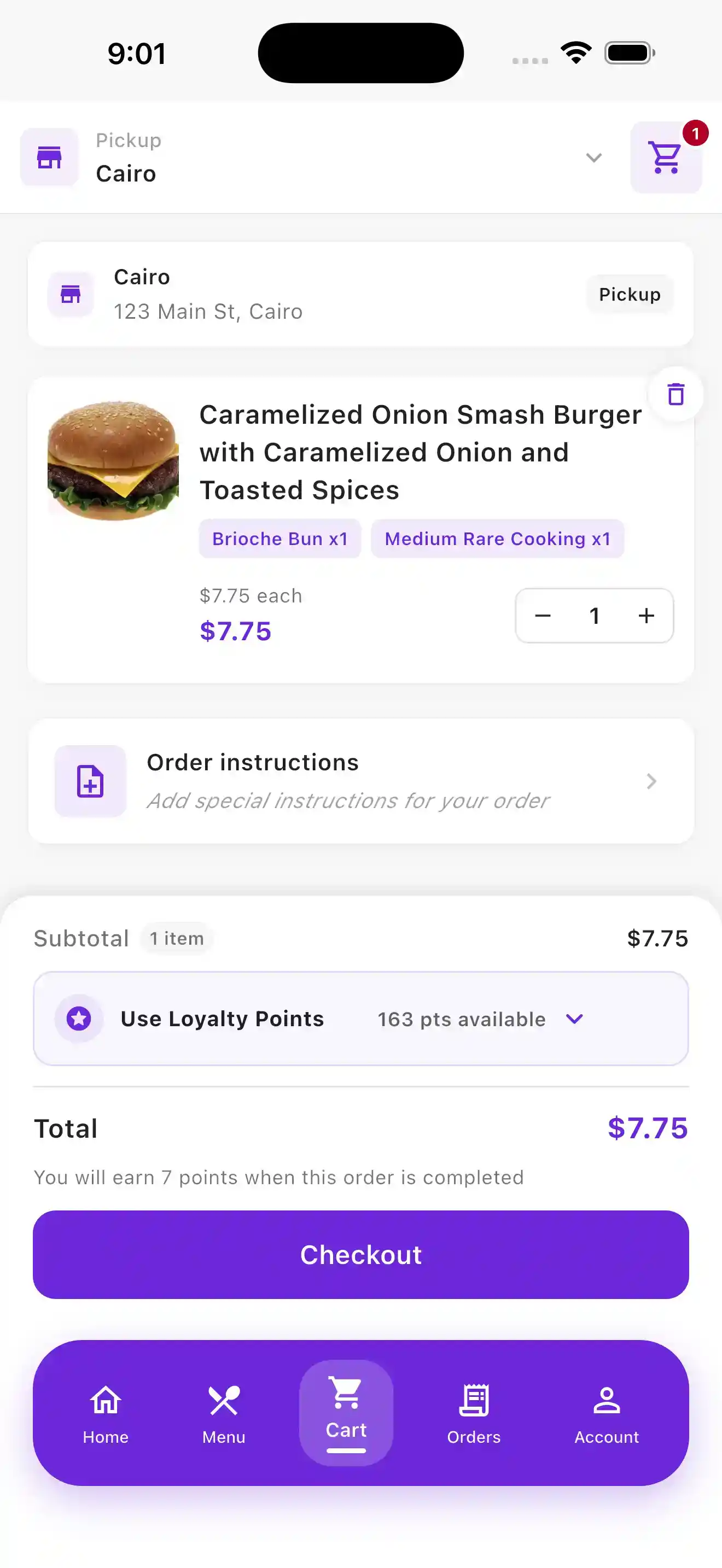
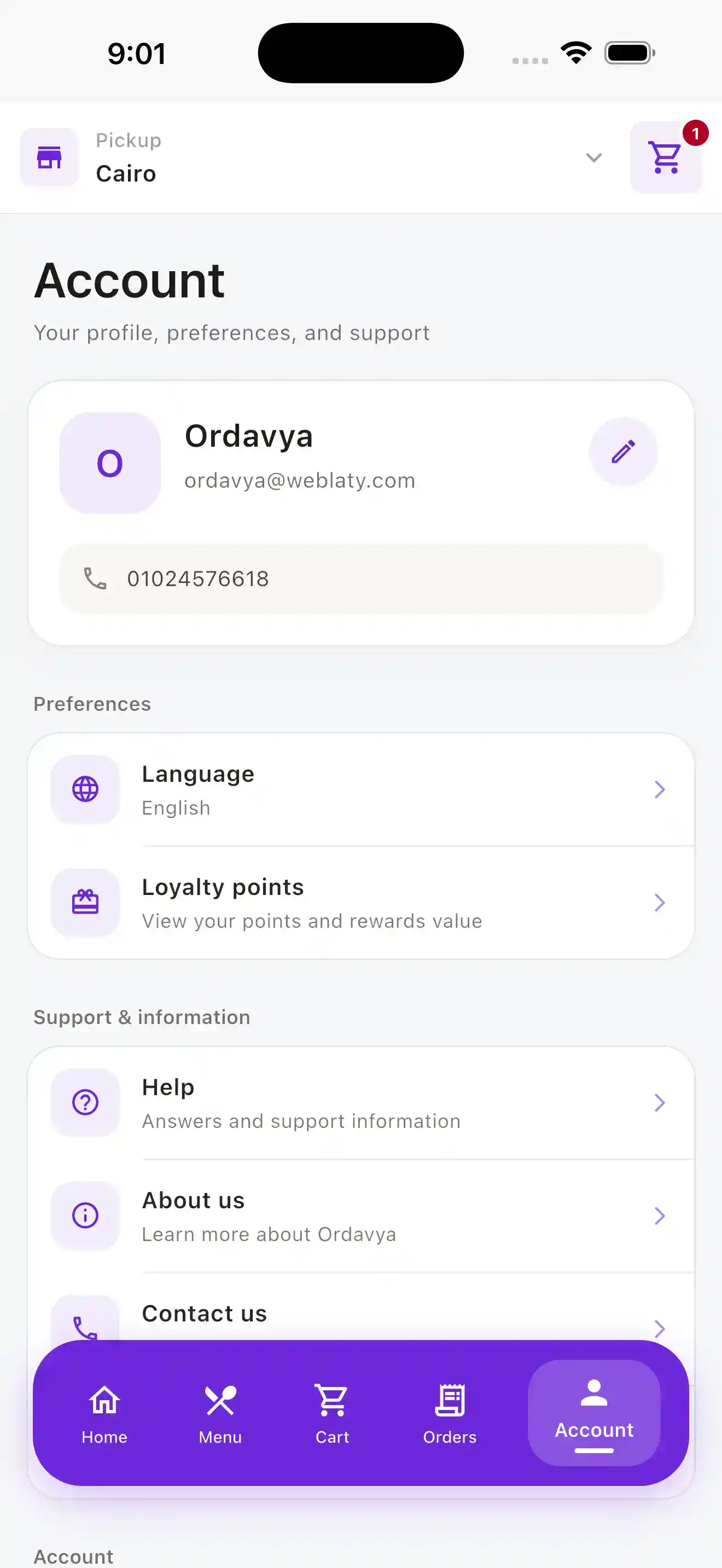
Customers can find their balance from the account area, then review available points and expected earnings inside the cart.
Redeem in the cart
The cart shows the available balance and loyalty redemption control, together with the points expected after the order is completed.
Customer balance
Customers can enter the loyalty section from their account to review their points balance and reward value.
01
An accumulated balance gives customers a practical reason to order from your restaurant again.
02
The restaurant chooses whether to run the program and sets the redemption value.
03
Earning, viewing, and redemption sit inside the customer app and ordering flow.
04
Customers see their balance, available points, and expected earnings before payment.
● Helpful information
Yes. The restaurant can enable or disable the loyalty-points feature according to its policy.
Points are added to the customer’s account after the order is completed, not when it is placed in the cart or first submitted.
The restaurant owner chooses how many points equal a monetary value at redemption, according to the restaurant’s reward policy.
Customers can access loyalty points from the account page. The cart also shows available points and the option to apply them.
Yes. Available points can be applied from the cart using the redemption value configured by the restaurant.
Speak with our team about the customer app and loyalty settings that fit your operation.