Deliver, or let them pick up. You set the rules.
Draw delivery areas for each branch, set a fee and a minimum order for each one, and offer pickup at any location.
No credit card required.Delivery that fits how you work.
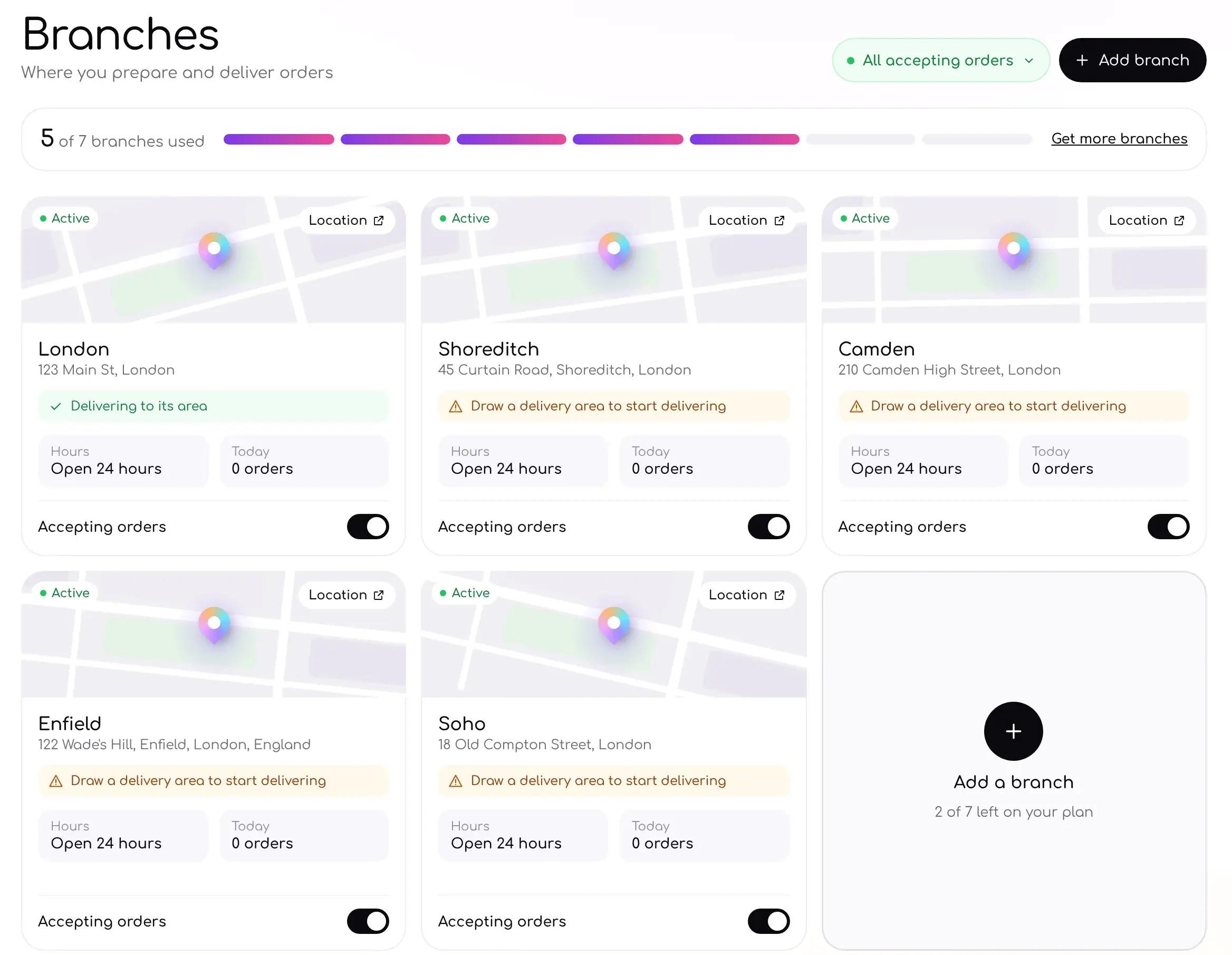
Every location, one dashboard.
See which branches are open, which deliver and how many orders each one has today.
- Turn order taking on or off per branch
- See hours and today's orders at a glance
- Add a branch as you grow
Every order, from tap to doorstep.
Orders land the moment they're placed. You run each step from the dashboard or the admin app, and Ordavya keeps you and your customer updated along the way.
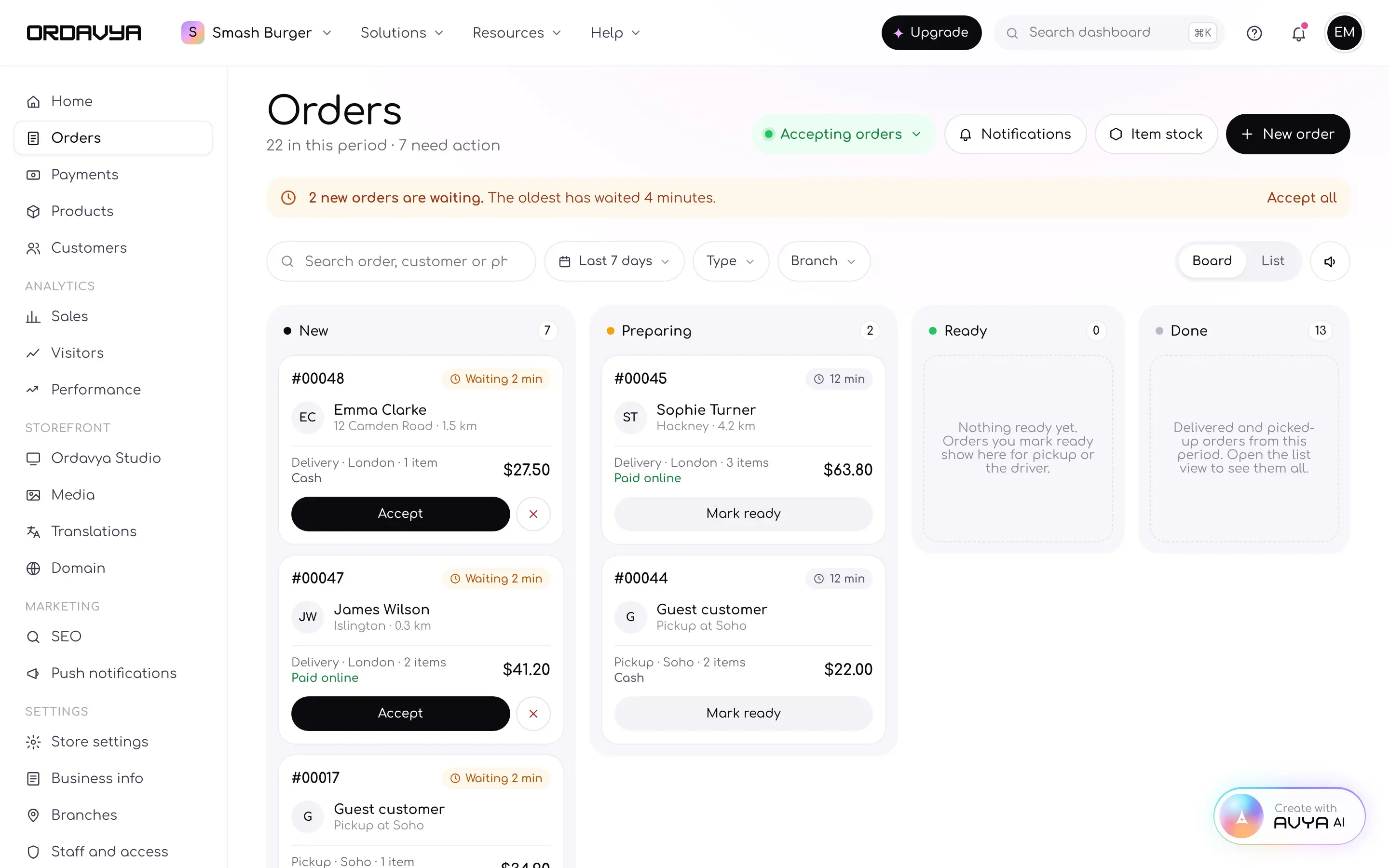
Delivery and pickup
Zones, fees and distance set per branch.All your branches
Hours, products and staff for each location.Item stock
Mark a product out of stock in one tap.Automatic notifications
A push to you and your customer at each step.Fees that add up right.
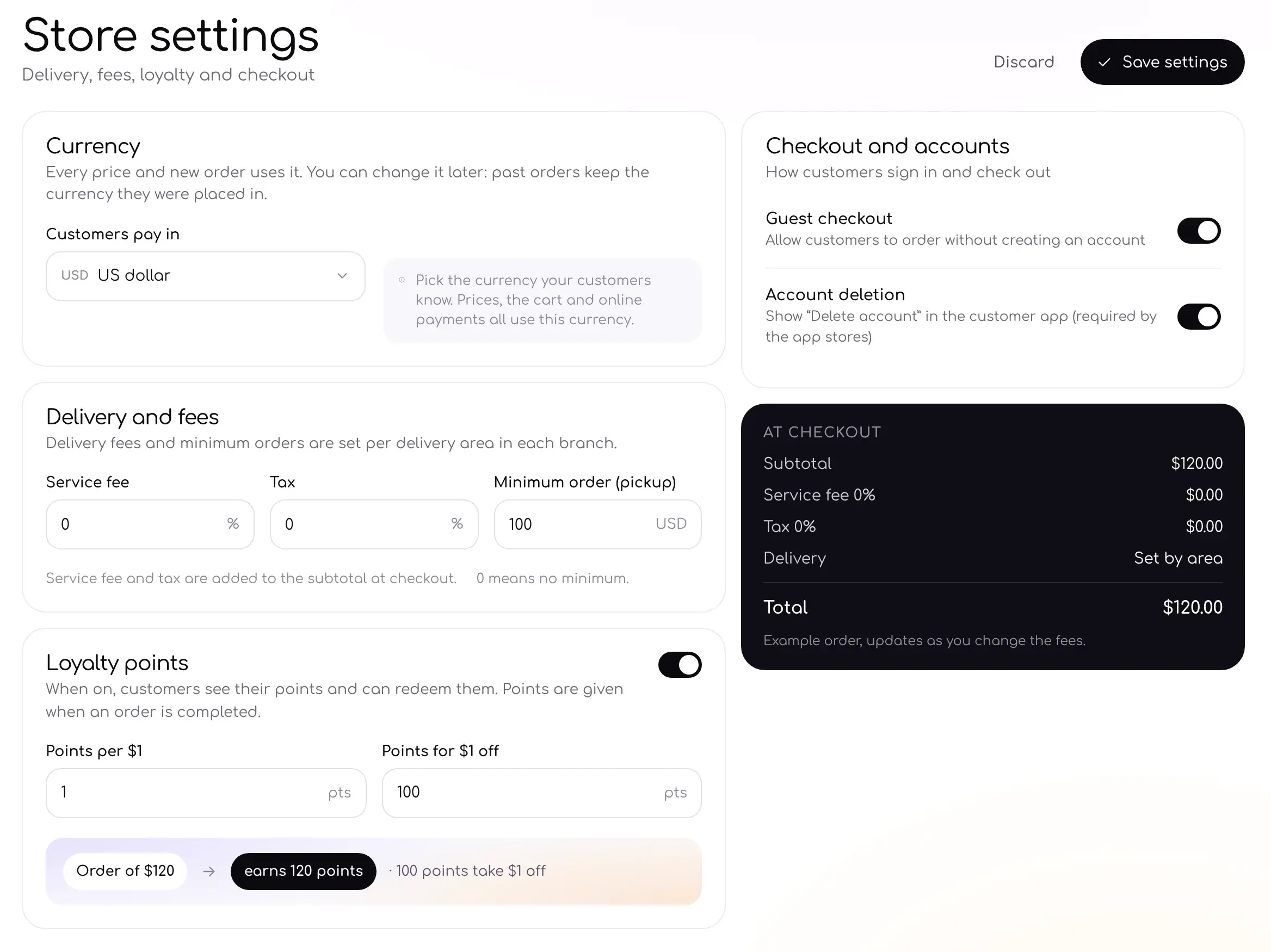
Add a service fee, tax and a minimum for pickup orders. A live example shows exactly what customers will pay.
- Service fee and tax added at checkout
- Delivery fee set by area
- Guest checkout on or off
Questions, answered.
Can't find what you're looking for? Our team is happy to help.
Can each branch have its own delivery areas?
Yes. Draw areas for each branch, each with its own fee and minimum order.
Can I offer pickup only?
Yes. Turn delivery off for a branch and keep pickup on.
Do customers see the delivery fee before they pay?
Yes. The fee for their area shows at checkout.
Can I pause orders at one branch?
Yes. Turn off accepting orders for that branch at any time.
Works well with
Start delivering today.
Add your branches, draw your areas and take your first delivery order.
No credit card required. Cancel anytime.