Give everyone the right access.
Invite your team, choose a role and pick the branches they work at. Each person only sees the tabs and branches you give them.
No credit card required.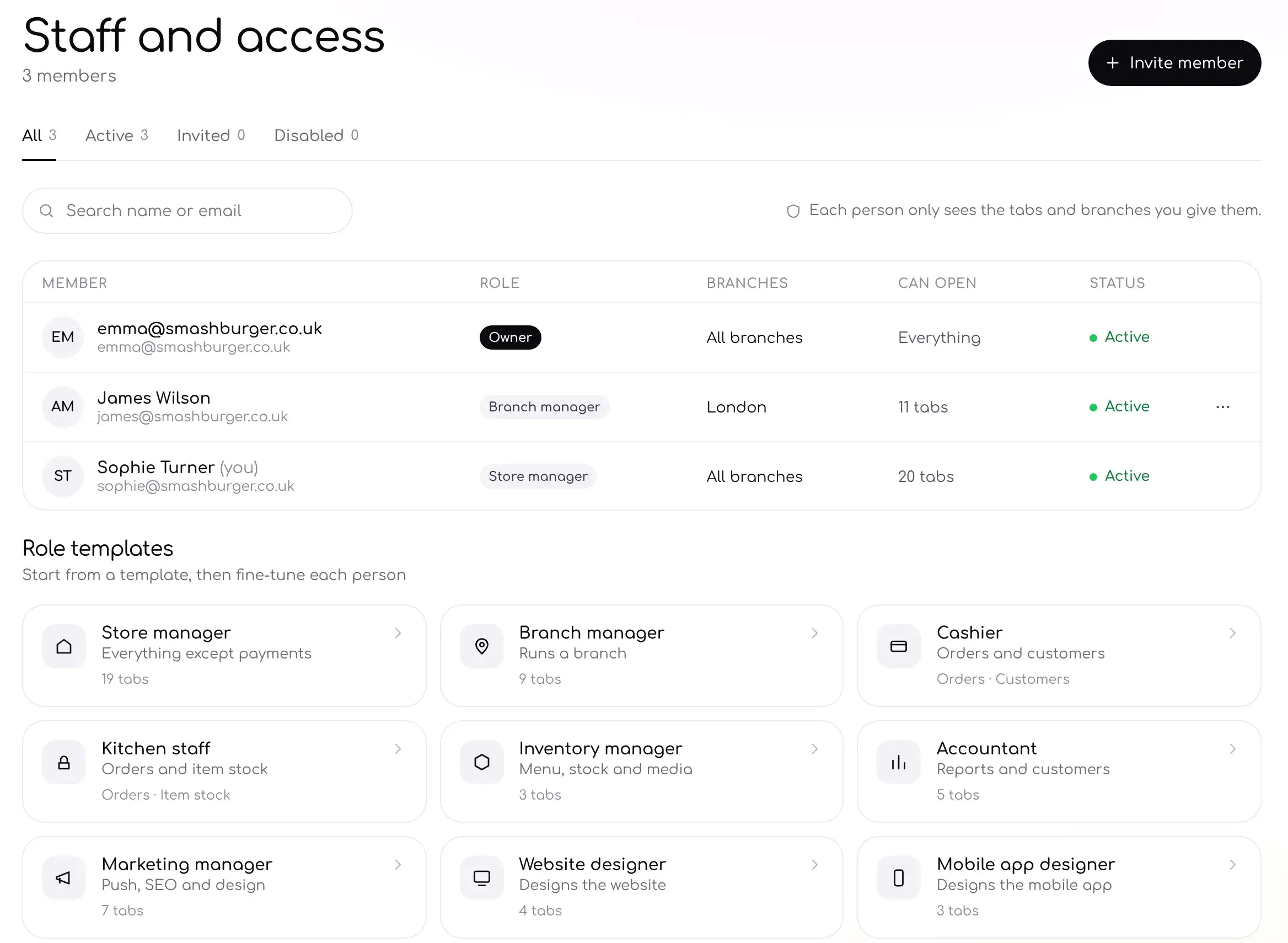
Access
Fine-tune what each person can open.
Start from a role, then switch tabs on or off and choose which branches each person can see.
- Owner sees everything
- Choose branches for each person
- Turn individual tabs on or off
Role templates
Start from a role that fits.
Nine ready-made roles cover most teams. Pick one, then adjust it for each person.
Store managerEverything except payments19 tabs
Branch managerRuns a branch9 tabs
CashierOrders and customersOrders · Customers
Kitchen staffOrders and item stockOrders · Item stock
Inventory managerMenu, stock and media3 tabs
AccountantReports and customers5 tabs
Marketing managerPush, SEO and design7 tabs
Website designerDesigns the website4 tabs
Mobile app designerDesigns the mobile app3 tabs
Your team
Built for teams of every size.
Invite by emailSend an invite and they join with their own login.
Per branchGive branch managers access to their branch only.
Per tabChoose exactly which tabs each person can open.
On the admin appStaff use the same access on their phones.
FAQFAQ
Questions, answered.
Can't find what you're looking for? Our team is happy to help.
How many staff can I add?
Staff seats depend on your plan.
Can someone work at more than one branch?
Yes. Choose all the branches they work at.
Can I remove access later?
Yes. Change a role or disable a member at any time.
Can staff see payments?
Only if you give them access. The store manager role includes everything except payments.
Works well with
Bring your team on board.
Invite your staff and give each person the access they need.
No credit card required. Cancel anytime.