
A clear control centre
Organized access to store settings, banners, announcements, products, and customers.
● Restaurant management in the browser
Give your team a clear web dashboard for following orders, organizing products, switching between branches, and controlling the store settings customers see.
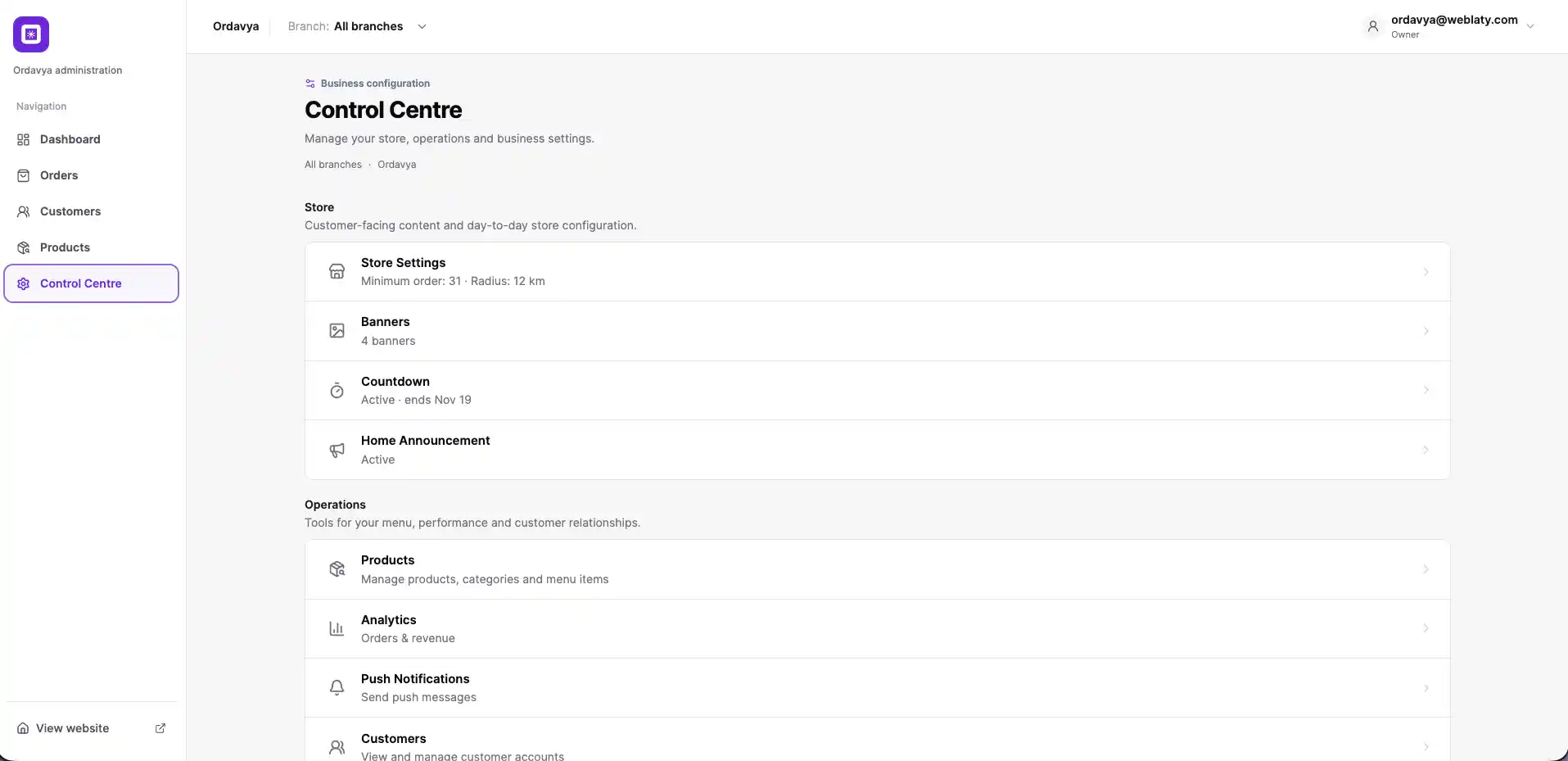
Organized access to store settings, banners, announcements, products, and customers.
Search and filter orders, then move them through the workflow from new to done.
Review products, categories, prices, options, and status in a practical list.
Select one branch or work across all branches from a consistent control.
● Daily operations tools
The web dashboard reduces unnecessary navigation and gives the team a practical view of the work that needs attention.
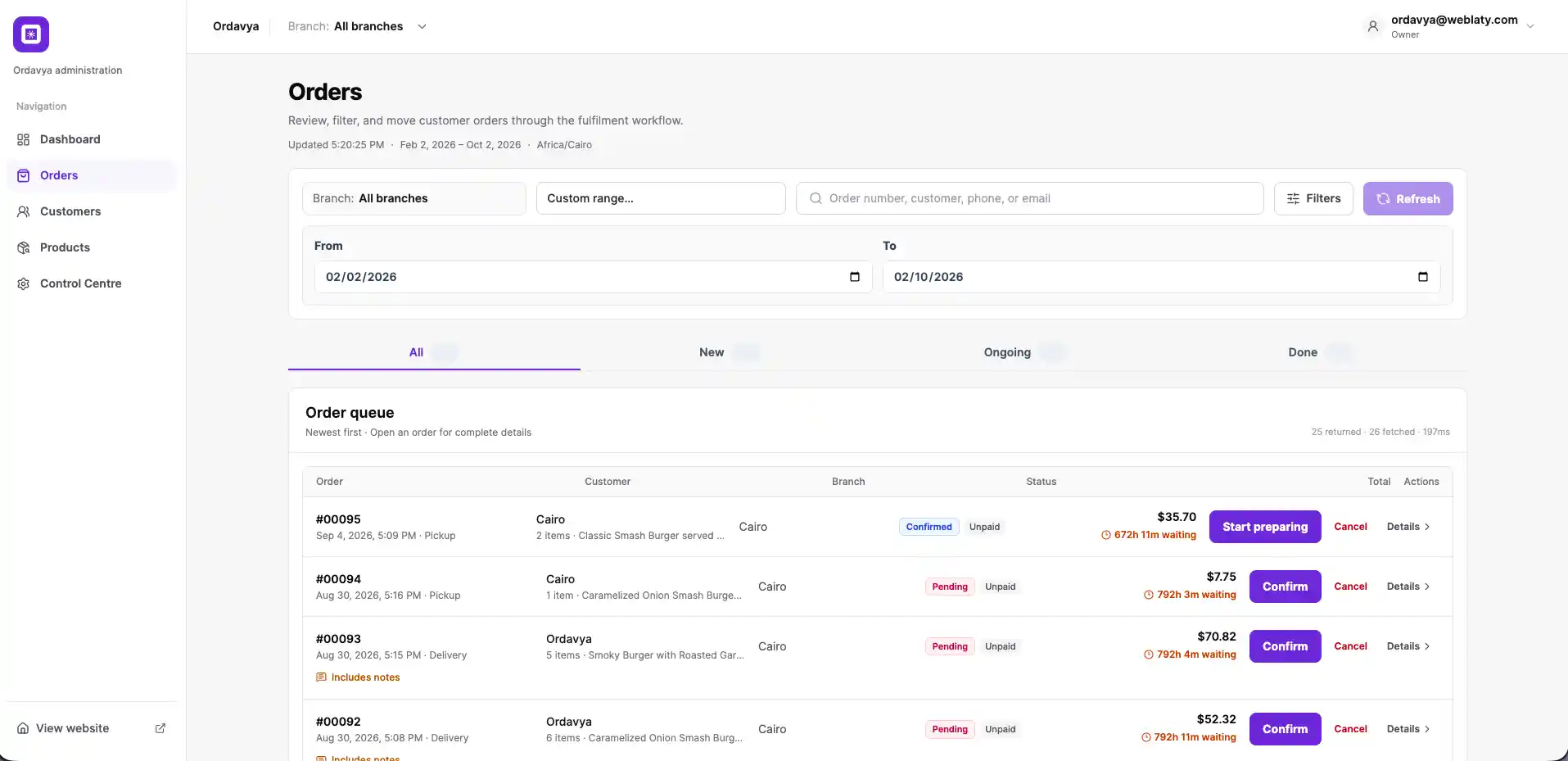
01 · Order operations
Search by order or customer, narrow results by date and branch, and move between new, ongoing, and completed orders.
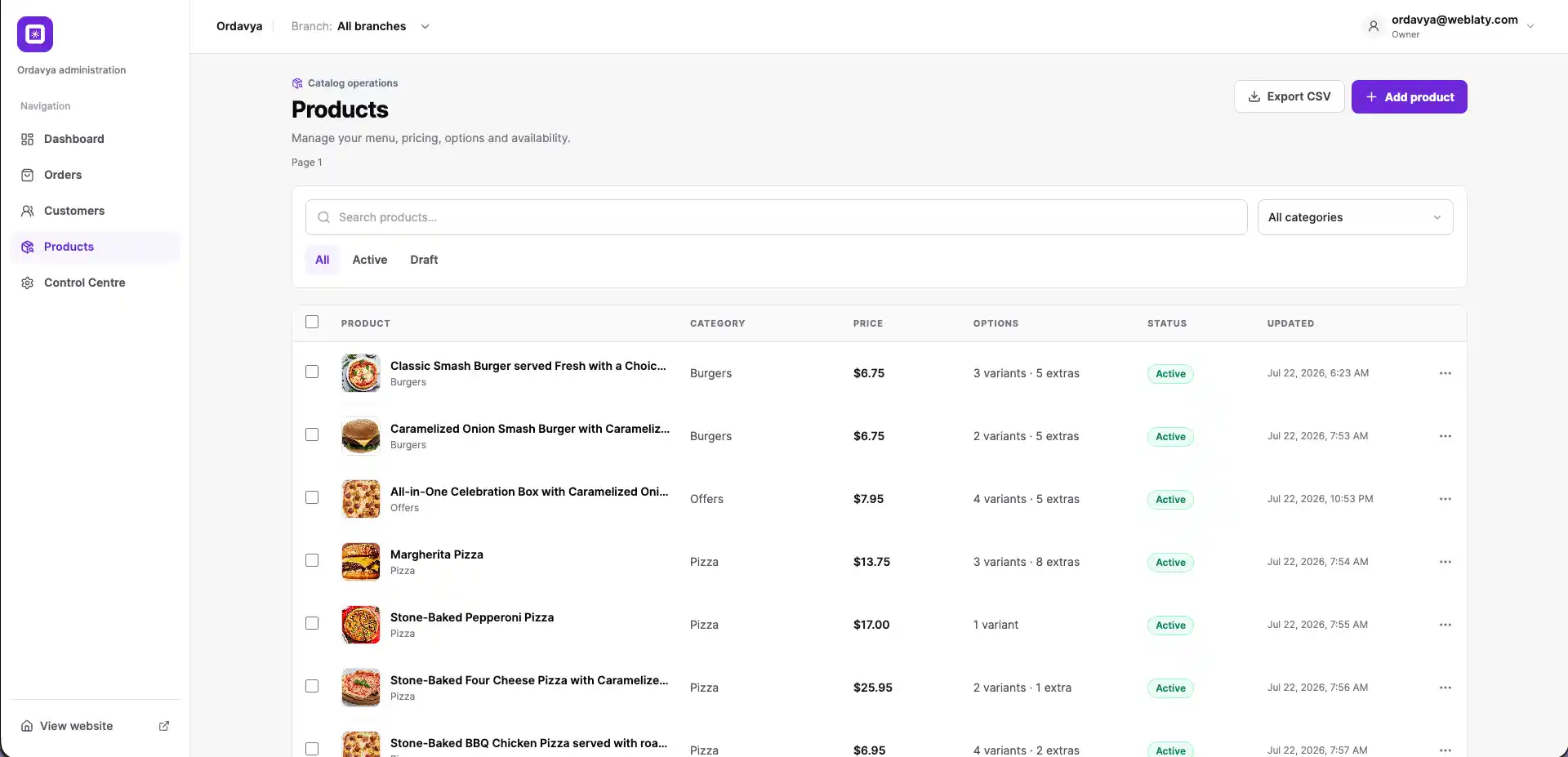
02 · Products and menu
Review product names, categories, prices, options, and publishing status, then search or filter the catalog when needed.
03 · Control centre
Reach store settings, banners, announcements, products, analytics, notifications, and customers from one organized centre.
01
Orders, products, and store controls come together in one management interface.
02
Find the order or product you need without working through long lists.
03
Order and product statuses, together with available actions, appear directly in their lists.
04
Work within one branch or review all branches according to the task.
● Helpful information
The dashboard brings together orders, customers, products, and store settings, with access to tools such as banners, announcements, analytics, and notifications.
Yes. The team can search by order or customer details, select a branch and date range, and view orders by fulfillment stage.
Yes. The products area shows categories, prices, options, and product status, with search, filters, and product creation controls.
The interface includes branch selection so the team can work within one branch or review all branches according to its access and configuration.
Speak with the Ordavya team about the order, product, branch, and management controls your operation needs.