
Dashboard Overview
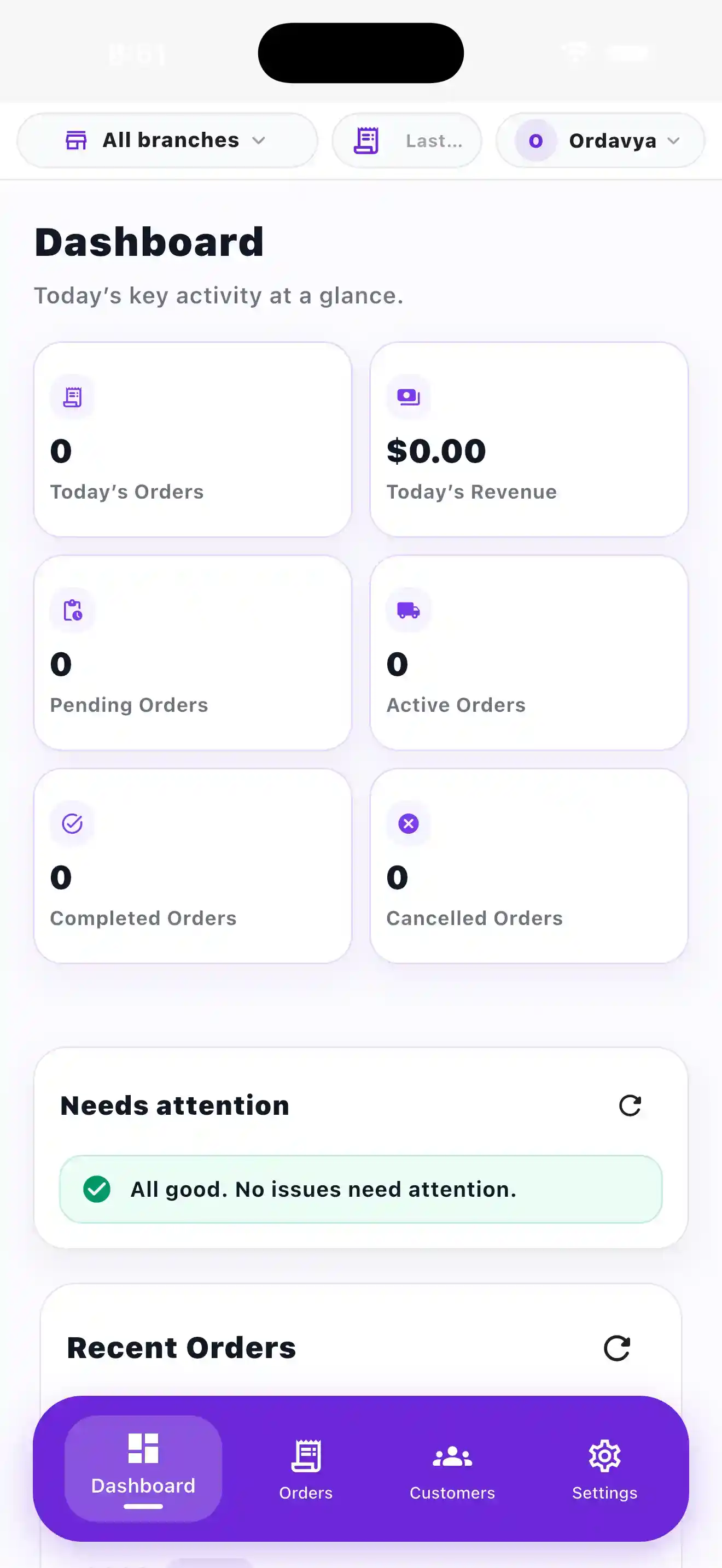
Review the day's summary, items needing attention and latest orders.
● Ordavya Admin Dashboard
Monitor orders, customers, storefront settings, branches, and operational tasks through a management interface built for restaurant teams.
● Daily Operations
Dedicated screens help staff review activity, process orders, manage customers, and update restaurant settings.
Review the day's summary, items needing attention and latest orders.
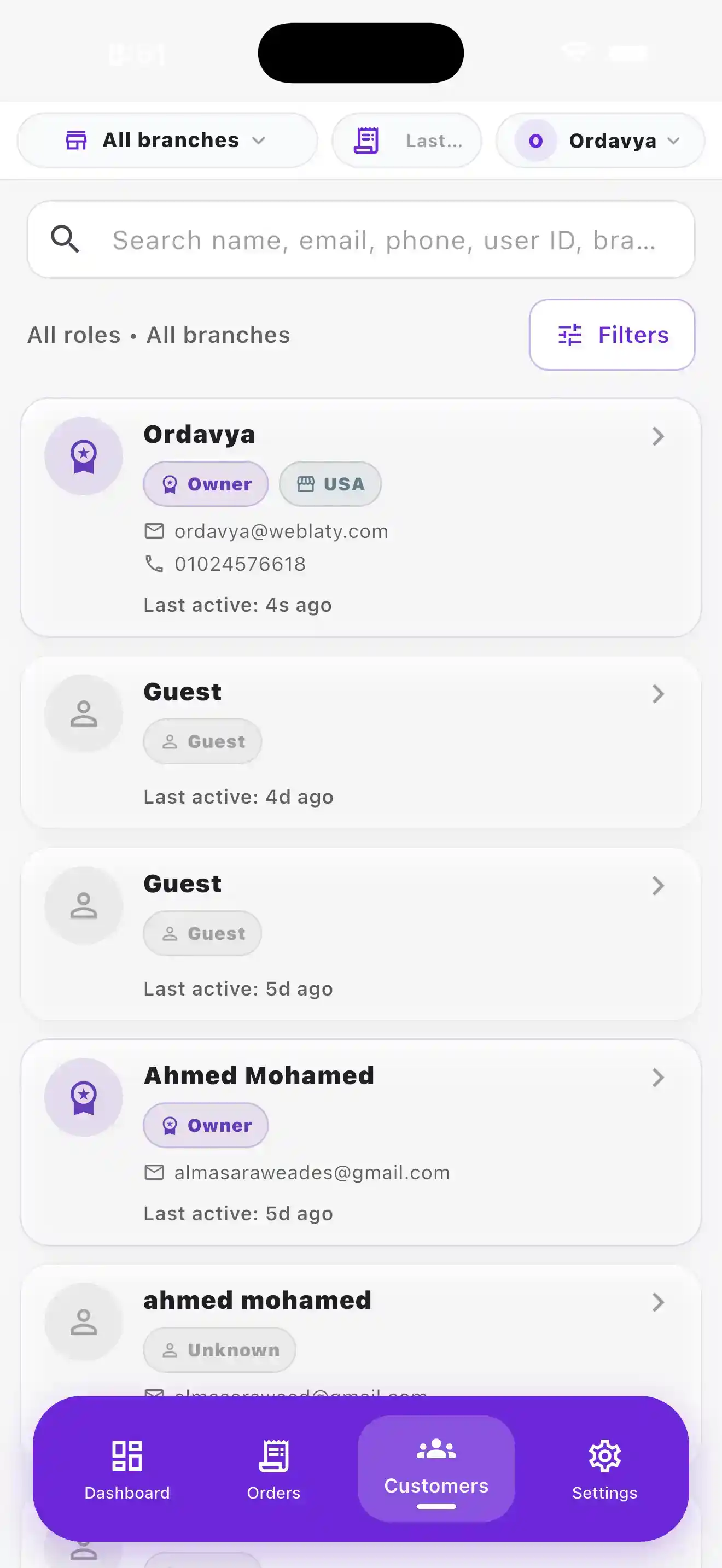
See customers, useful information, activity and assigned role.
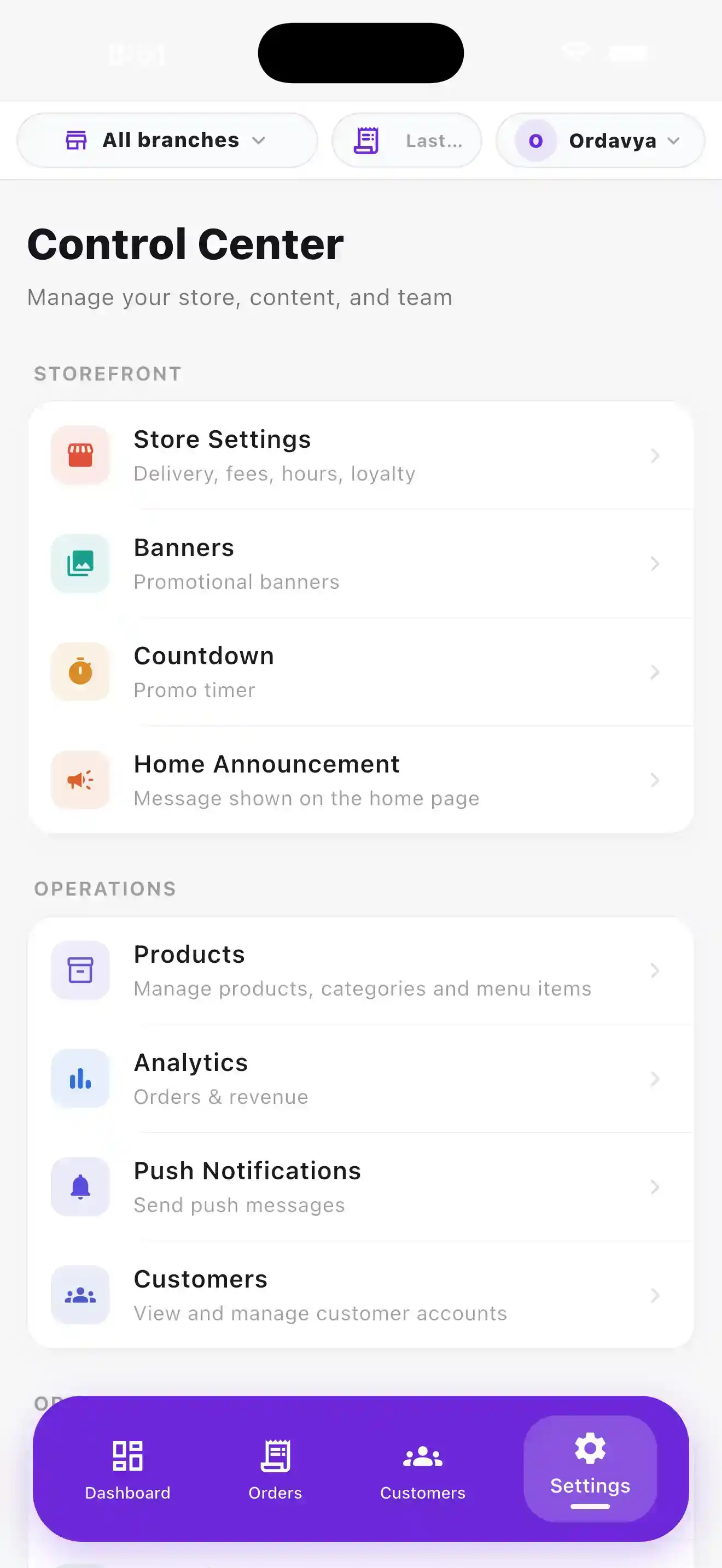
Access storefront settings, operational tools, business information and branches.
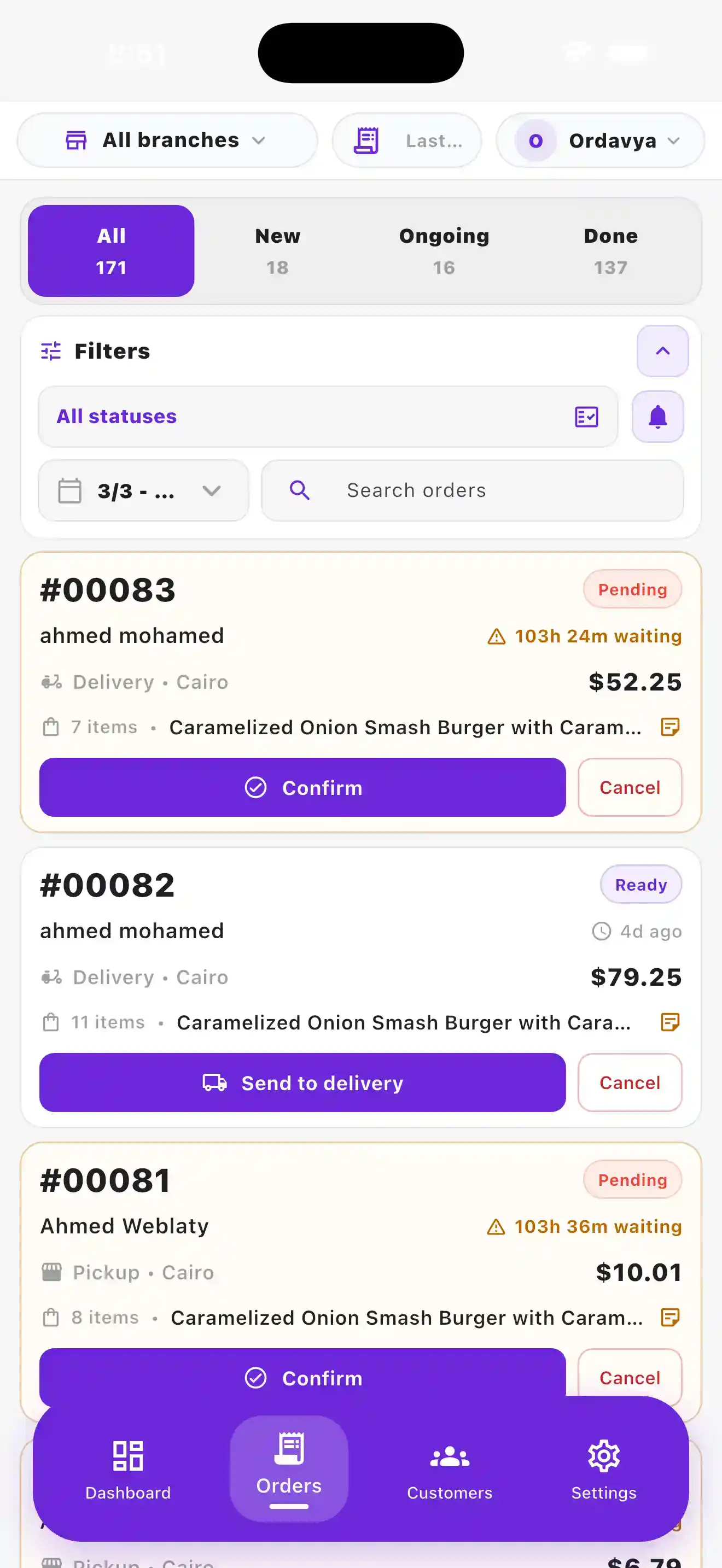
Search and filter orders while switching between restaurant branches.
01 / DASHBOARD
Key metrics, attention items and recent orders give your team an immediate operational view.
02 / ORDERS
Search, filtering, statuses and branch context keep order handling organized.
03 / CONTROL PANEL
Products, analytics, customers, notifications and business settings stay connected.
04 / CUSTOMERS
Customer accounts and activity remain available to the restaurant team when needed.
01
See the activity that matters to daily operations.
02
Give team members access appropriate to their work.
03
Manage supported branches without losing operational context.
04
Customer and management experiences share the same information.
● Helpful information
The order management screen brings together search, filters, statuses and branch context so the team can work with incoming orders from one place.
Yes. The management experience supports categories, products, options, availability and featured items.
The dashboard provides a summary of today's activity, items that need attention and recent orders for a quick operational view.
Yes. Ordavya supports role-based permissions and keeps supported branch operations organized within the management experience.
Your next step
Choose the right solution for your restaurant, or find quick answers in the Help Center.